> ## Documentation Index
> Fetch the complete documentation index at: https://docs.budecosystem.com/llms.txt
> Use this file to discover all available pages before exploring further.
# Governance Policy
> Define, deploy, and attach agentic AI governance policies
## Overview
Governance policies extend Guardrails from model input and output checks to the broader agentic AI workflow. Traditional LLM apps mostly need to govern how a model interacts with a user. Agentic applications may use multiple models, call tools, inspect enterprise data, and take several actions before completing a task, so policy enforcement must cover every stage where risk can appear.
In Bud AI Foundry, a governance policy defines what an agent is allowed to do, which checks it should run, and what should happen when a rule is triggered. Policies are authored in the **Guardrails** module, deployed to a project, and attached to specific agent versions from the agent builder.
```mermaid theme={null}
flowchart LR
A[Create Policy] --> B[Add Rules and Checks]
B --> C[Deploy to Project]
C --> D[Attach to Agent Version]
D --> E[Enforce During Agent Workflow]
```
## When to Use Governance Policies
Use governance policies when an agent must follow organization-specific security, compliance, or responsible AI requirements that are not guaranteed by an off-the-shelf agent. Common examples include:
* Blocking prompt injection or jailbreak attempts before a run proceeds.
* Checking tool calls before the agent invokes enterprise systems.
* Redacting sensitive output after a model or tool returns data.
* Notifying reviewers when risky but permissible activity occurs.
* Requiring human approval for high-impact actions.
* Denying access to tools that an agent should never use.
## Policy Building Blocks
| Building Block | Description |
| --------------------------- | ---------------------------------------------------------------------------------------------- |
| Policy name and description | Human-readable identity and intent for the policy. |
| Conflict strategy | Determines which rule wins when multiple matching rules produce different outcomes. |
| Rules | Policy units that combine checks, lifecycle hooks, outcomes, optional filters, and priority. |
| Checks | Guardrail probes, scanners, or action patterns the agent must evaluate. |
| Run when | Agent lifecycle hooks where the rule runs. |
| Sensitivity | Per-check strictness from **Lenient** to **Max**. |
| Then | The outcome when a rule matches: **Allow**, **Redact**, **Notify**, **Escalate**, or **Deny**. |
| Guidance | Optional instructions for what the agent should communicate or do when the rule triggers. |
| Only when | Optional filter conditions that limit the rule to specific context. |
| Priority | Score used by conflict strategies such as highest-priority matching. |
## Conflict Strategies
A single policy can contain multiple rules. If two or more rules apply to the same situation and produce different outcomes, the conflict strategy decides precedence. Bud AI Foundry supports these authoring options:
| Strategy | Behavior |
| --------------------- | ---------------------------------------------------------------------------------------- |
| Deny / Escalate wins | Deny blocks first; escalation asks a human before continuing. |
| Highest priority wins | Rules are evaluated by priority and the highest-priority match decides. |
| Allow wins | Explicit allow rules can override stricter matching rules. Use carefully for exceptions. |
| Most specific wins | More targeted rules, such as agent-scoped rules, win over broad global rules. |
## Lifecycle Hooks
Governance rules can run at multiple points in an agent workflow:
| Hook | Use It To |
| --------------------- | --------------------------------------------------------------------------------- |
| Before the run starts | Gate the agent before any model or tool work begins. |
| Before the request | Check user input before a model sees it. |
| After the reply | Check model output before the user sees it. |
| Before a tool runs | Allow, deny, redact, notify, or escalate a tool invocation before it happens. |
| After a tool runs | Inspect returned data before the agent uses it. |
| After the run | Apply final close-out checks, redaction, or attestation after the agent finishes. |
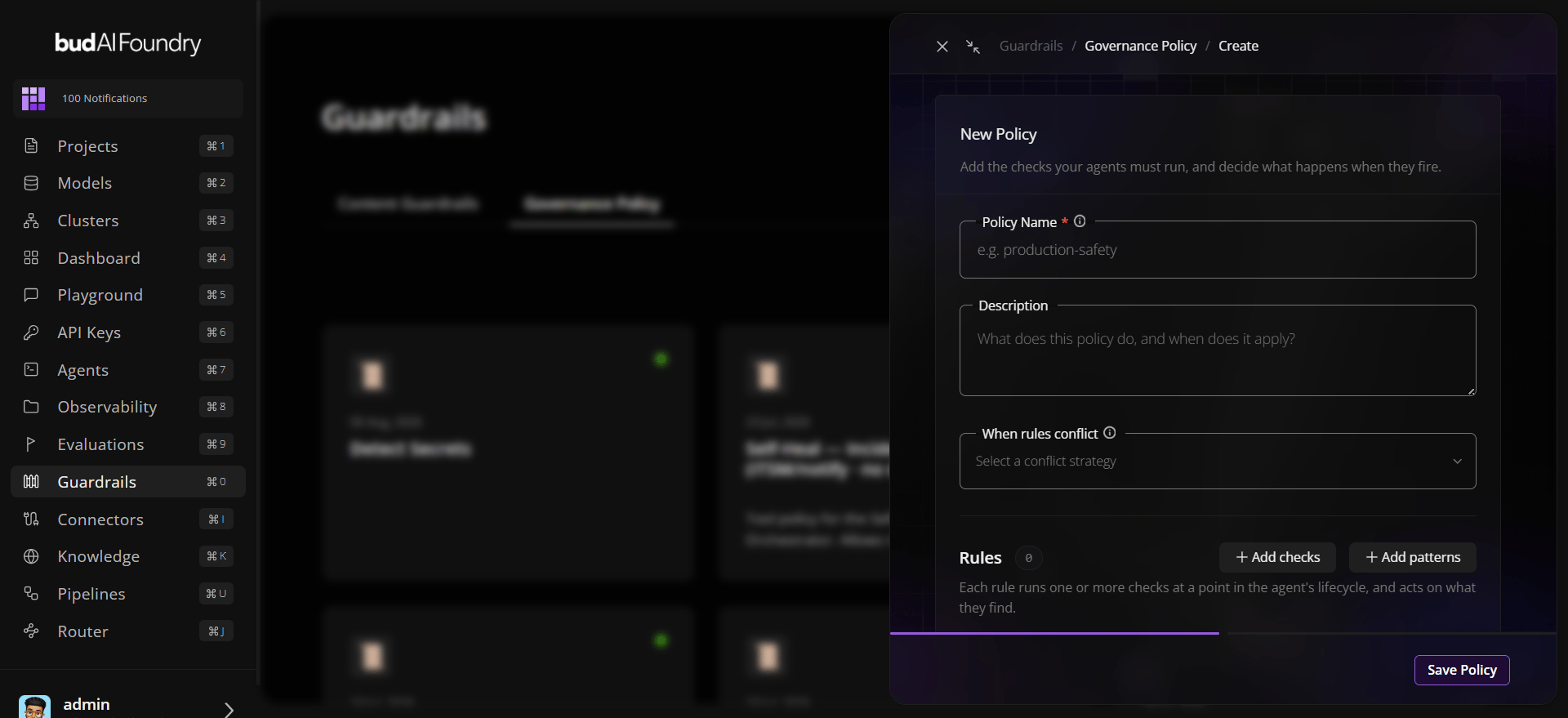
## Create a Governance Policy
1. Sign in to Bud AI Foundry.
2. Open **Guardrails** from the side navigation.
3. Select the **Governance Policy** tab.
4. Click **Add Policy**.
5. Enter a policy name and description.
6. Select a conflict strategy.
7. Add checks from the guardrail catalog, or add action patterns for tool-access controls.
8. For each rule, choose when it runs in the agent lifecycle.
9. Tune check sensitivity from **Lenient** to **Max**.
10. Choose the rule outcome: **Allow**, **Redact**, **Notify**, **Escalate**, or **Deny**.
11. Add optional guidance for agent messaging or handling instructions.
12. Add optional filter conditions under **Only when**.
13. Set priority, then save the policy.
 ## Deploy and Attach a Policy
After the policy is saved, deploy it before attaching it to agents:
1. From the governance policy card or details view, click **Deploy**.
2. Select the project where the policy should be available.
3. Bud verifies and onboards the guardrail models required by the selected checks.
4. After deployment succeeds, open **Projects** and select the same project.
5. Open **Agents**, select the target agent, then open **Agent Versions**.
6. Select the version you want to govern.
7. In the agent builder, open the **Governance** section.
8. Attach the deployed governance policy to that agent version.
## Deploy and Attach a Policy
After the policy is saved, deploy it before attaching it to agents:
1. From the governance policy card or details view, click **Deploy**.
2. Select the project where the policy should be available.
3. Bud verifies and onboards the guardrail models required by the selected checks.
4. After deployment succeeds, open **Projects** and select the same project.
5. Open **Agents**, select the target agent, then open **Agent Versions**.
6. Select the version you want to govern.
7. In the agent builder, open the **Governance** section.
8. Attach the deployed governance policy to that agent version.
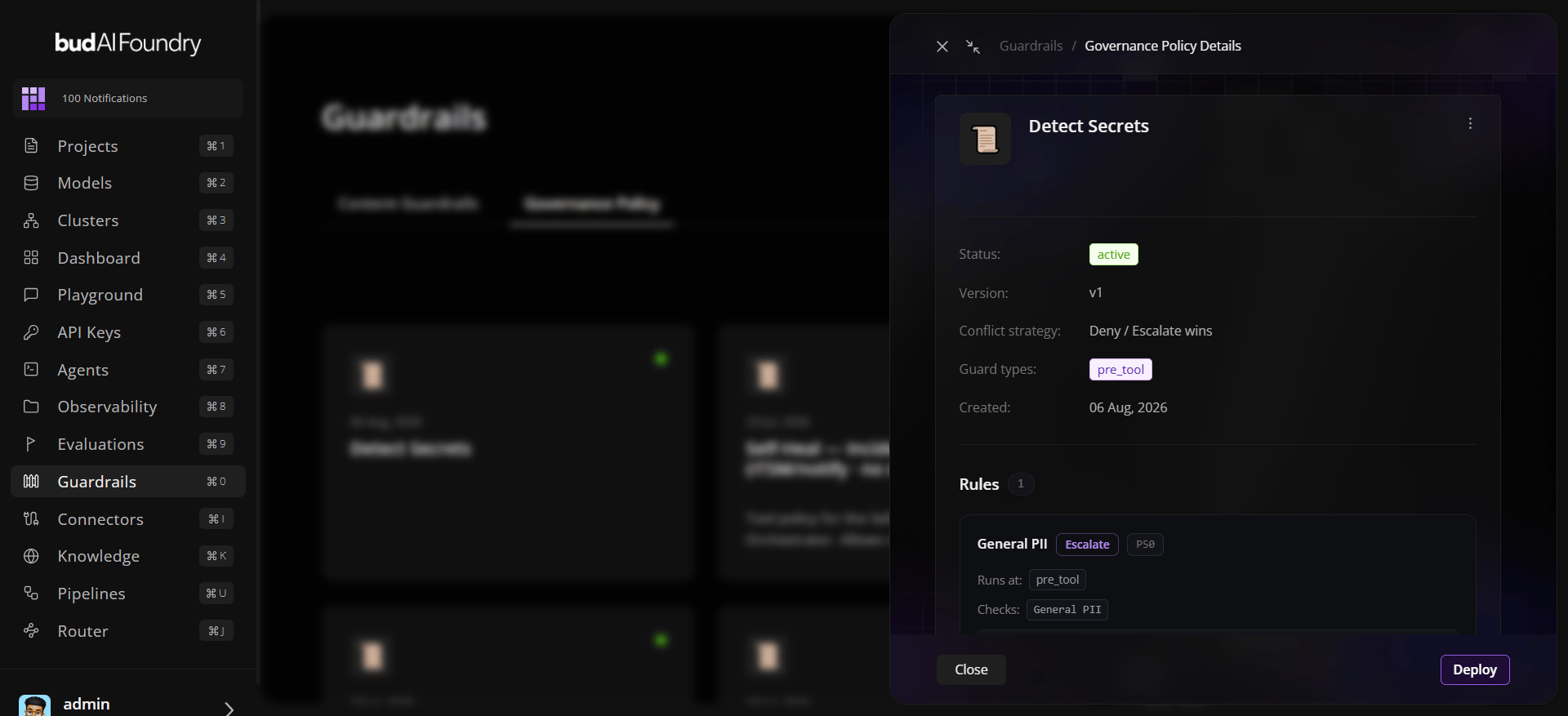 You can review policies attached to an agent from the agent **Governance** tab, including policy coverage and active bindings.
## Best Practices
* Start with a small set of high-impact rules, then expand after observing runtime behavior.
* Use **Deny / Escalate wins** for strict compliance environments.
* Use priorities consistently when several rules may match the same action.
* Provide clear guidance so the agent can explain denials or escalations to users.
* Add filter conditions for context-specific exceptions instead of broad allow rules.
* Review notify and escalation activity regularly to tune policies and reduce noise.
You can review policies attached to an agent from the agent **Governance** tab, including policy coverage and active bindings.
## Best Practices
* Start with a small set of high-impact rules, then expand after observing runtime behavior.
* Use **Deny / Escalate wins** for strict compliance environments.
* Use priorities consistently when several rules may match the same action.
* Provide clear guidance so the agent can explain denials or escalations to users.
* Add filter conditions for context-specific exceptions instead of broad allow rules.
* Review notify and escalation activity regularly to tune policies and reduce noise.