
What You Will Build
A guardrail profile that:- Uses Bud Sentinel probes for safety and PII categories.
- Applies both input and output guard types.
- Uses a tuned severity threshold.
- Deploys to an existing project deployment.
Prerequisites
- Access to Bud AI Foundry.
- A project with at least one active deployment.
- Permission to create and deploy guardrails.
Step 1: Start the Workflow
- Go to Guardrails.
- Click + Add Guardrail.
- Confirm you can access the provider selection screen.
Step 2: Choose Provider and Probes
- Choose a provider (for example, Bud Sentinel).
- Click Next.
- Search probe catalog with tags (for example, Safety and PII).
- Select the probes you need.
- Review probe details to validate coverage.
Step 3: Choose Deployment Type
- Choose Guardrail Endpoint to deploy as a standalone guardrail endpoint.
- Select Add to Existing Deployment so the profile protects an already-running endpoint.
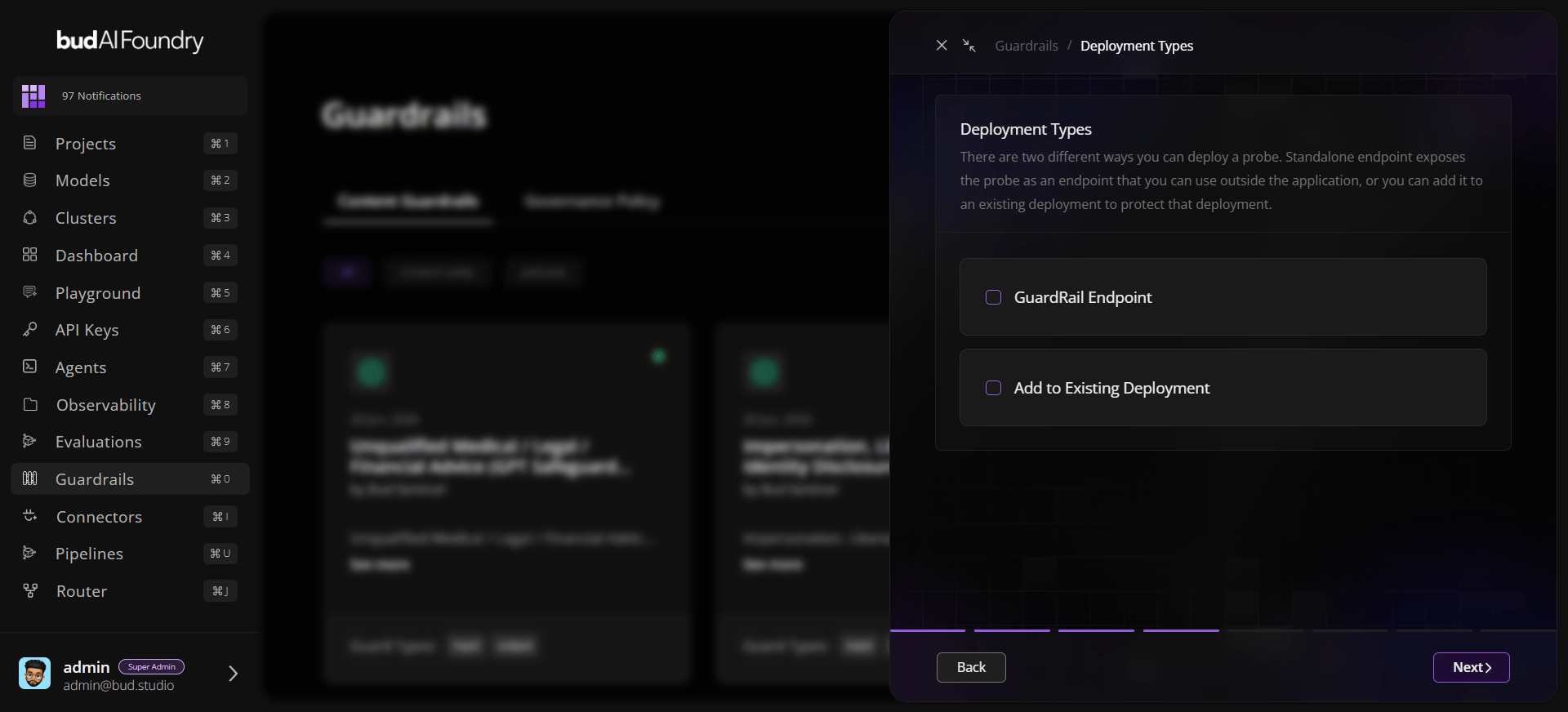
Step 4: Choose Project and Deployment
- Pick your target project.
- Select the deployment/endpoint you want to protect.
- Continue to profile configuration.
Step 5: Configure the Profile
Set:- Name:
production-safety-guardrail - Guard Types:
input,output - Severity: start at medium and tune based on observed traffic
- Description: add policy intent and owner team
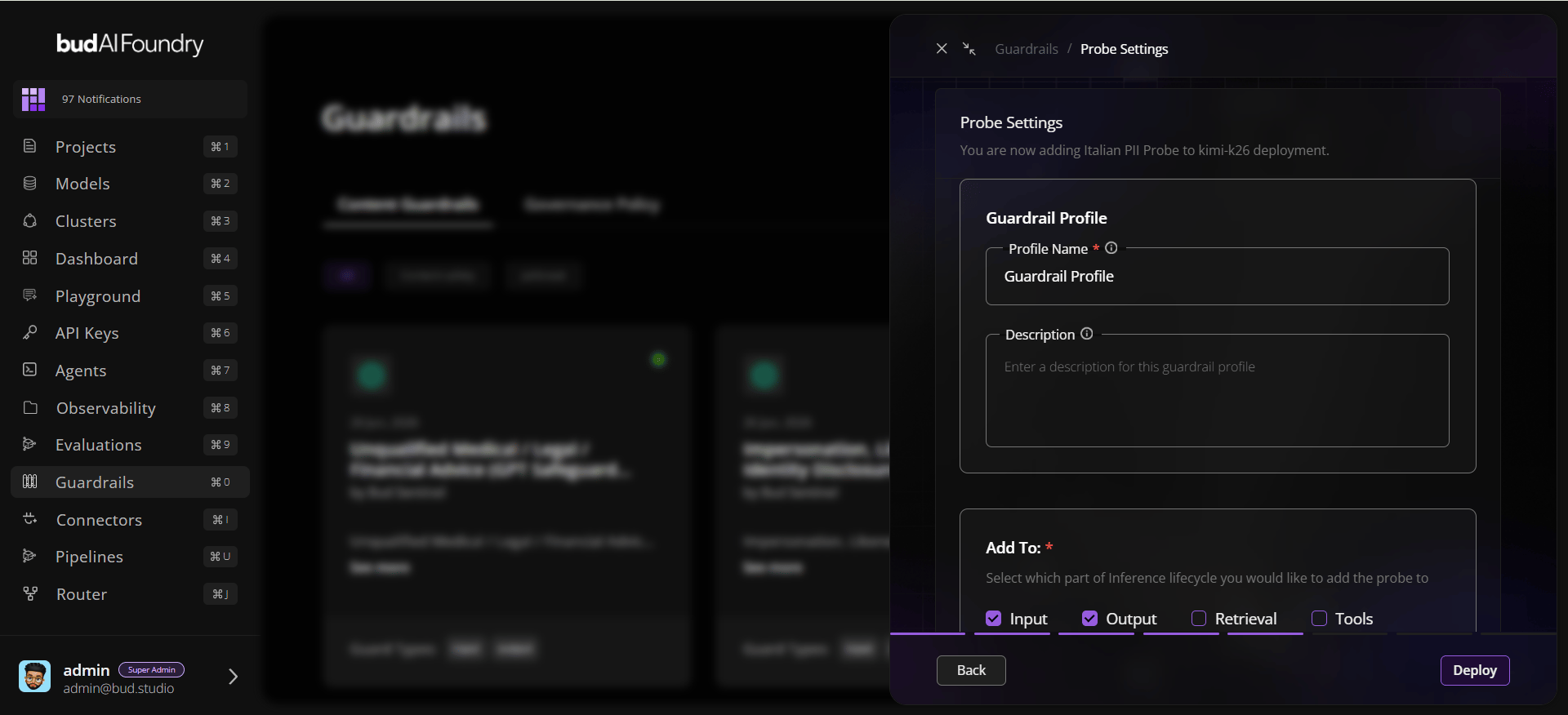
Step 6: Deploy
- Click Deploy.
- Wait for the success state.
- Open the guardrail detail page and validate:
- selected probes
- active deployment mapping
- status and timestamps
Step 7: Validate with Test Prompts
Use known-safe and known-risk prompts to verify behavior and reduce false positives/negatives before broad rollout.Best Practices
- Start with medium severity and tune with real traffic.
- Combine input and output checks for user-facing workloads.
- Document the owner, intent, and rollout scope in the description.
- Validate with known-safe and known-risk prompts before broad rollout.