
Plan the skill
Start with a specific business outcome rather than a list of tools. For example, a customer-support skill can define the full process for gathering customer context, checking documentation, resolving the request, and escalating when necessary. Before authoring, identify:- The task objective and expected result.
- The tools required to complete the task.
- Constraints, approval steps, and escalation conditions.
- The response format that makes results useful to the requester.
- The teams, gateways, and audiences allowed to use the skill.
Create a skill
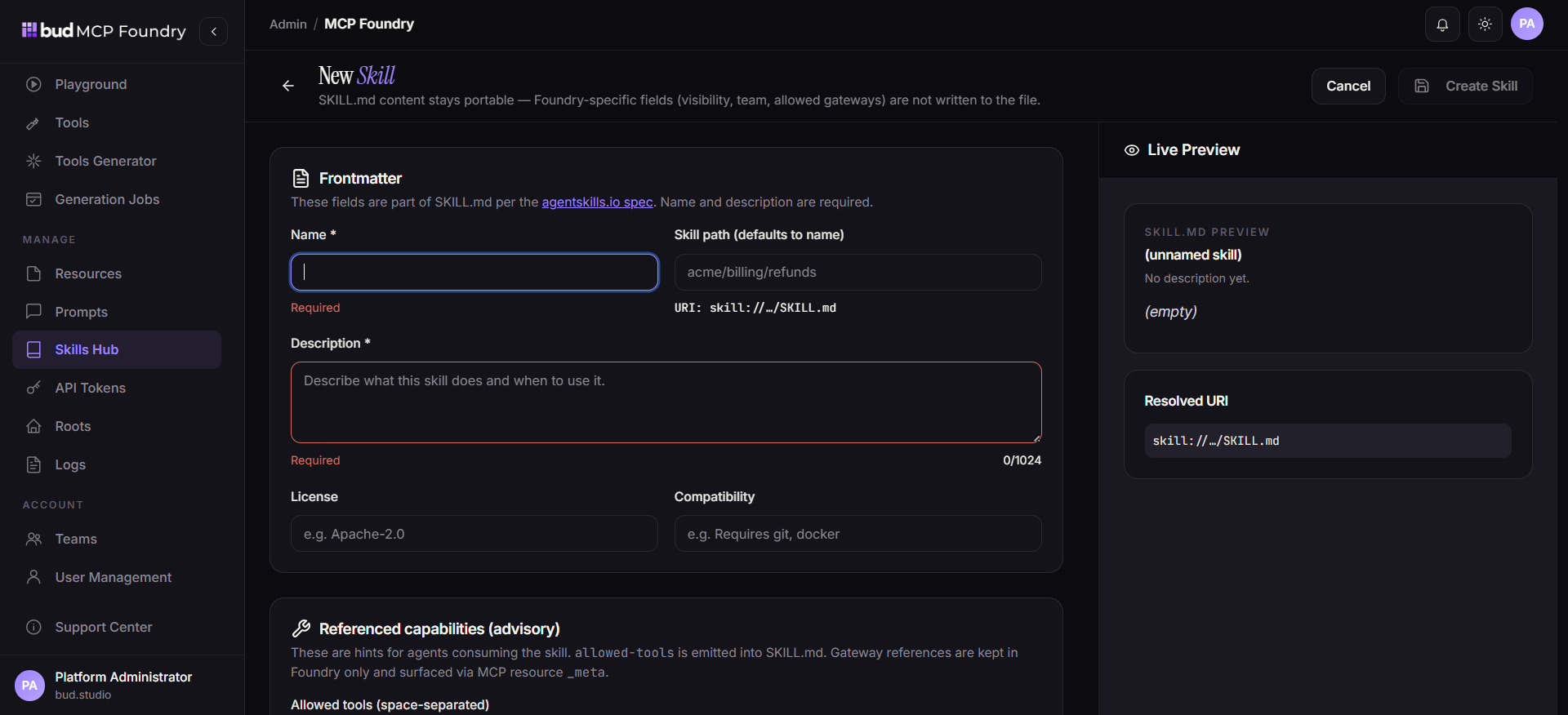
- Open Skills Hub in MCP Foundry.
- Select New Skill.
- Enter a descriptive name and description.
- Optionally add licensing and compatibility information for skills shared across teams or environments.
- Attach the MCP tools the skill is permitted to use.
- Select the MCP gateways that may expose the skill.
- Set ownership and visibility.
- Add the markdown instructions, then select Create Skill.
Write effective skill instructions
The markdown instructions are the operating procedure an agent reads when the skill is activated. Make them explicit and structured so behavior remains consistent across different underlying models. Include these sections where relevant:
Avoid instructions that depend on hidden knowledge or unspecified tool behavior. State the expected checks before write operations and what the agent should do when a required tool or resource is unavailable.
Validate and distribute the skill
After creation, use the skills list to preview the skill, download its markdown, or edit its configuration. Test it with representative requests through each selected gateway before making it broadly available.- Confirm the skill exposes only the tools selected during creation.
- Verify its instructions produce the required response format and honor guardrails.
- Test failure and escalation paths, not only successful requests.
- Confirm that only the intended gateways and clients can discover the skill.
- Update the skill’s gateway configuration whenever its distribution requirements change.
Governance note: A skill’s portability does not broaden its permissions. The attached tools, gateway configuration, virtual-server composition, and backend credentials should all remain least-privileged for the task.